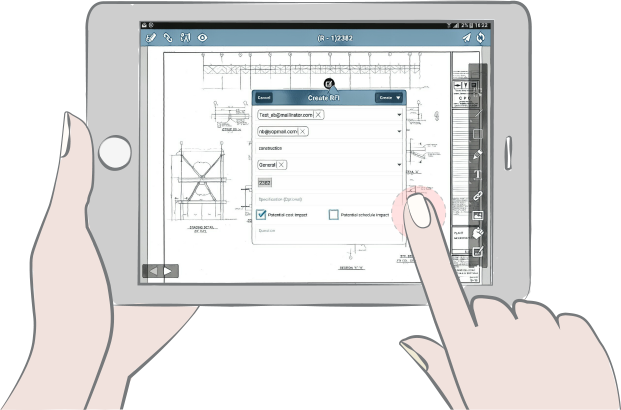
When your RFI’s, documents, and tracking tools are all in one place, you’ve got control. No searching through emails or RFI logs in a spreadsheet, no extra folders for attachments, no different file types, no more combining packages in four different programs. Just open SKYSITE, and all you need is there in one place.
You can also minimize errors and rework by making sure only the right people respond to your RFI’s. SKYSITE lets you assign RFI’s to specific people, and has a “CC” field to keep other team members in the loop. Team comments from the group are captured in an RFI history, but not treated like the final answer to the RFI.

Drop the RFI on a specific drawing location to make it easy to find, and easy to find out what it’s about.

Got an RFI and your computer’s back in the trailer? No sweat. Our RFI management lets you respond with a few taps on your phone or tablet no matter where you are.

Need to make an RFI log entry? One click and you’re done.

Got a complicated request? Simplify it. SKYSITE’s RFI report gathers all the PDFs about the RFI, along with the drawing it’s pinned to. You can attach any documents you want to your RFI -- even if they’re not a PDF’s -- and they’ll all be listed right there on your RFI cover sheet.