SKYSITE SmartScreens Make Brainstorming Extraordinary

Interactive smart screens inspire creativity and collaboration. Inspire the extraordinary in your team and elevate your meetings to creative collaboration sessions.
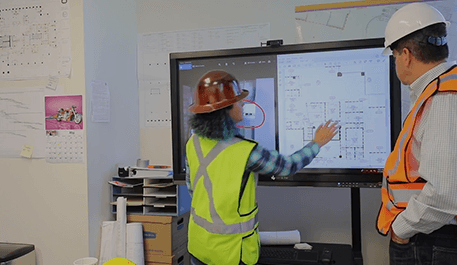
Construction workers using SKYSITE SmartScreens for collaboration

Elevate your meetings to get you on your feet and out of your seat

Inspired Collaboration

Encourage teamwork with easy collaboration, screen sharing and video conferencing.

Intuitive and Easy

Annotate, draw and markup with a simple touch.

Robust & Powerful

A powerful Intel® i7 PC, impact resistant glass and a heavy-duty stand.
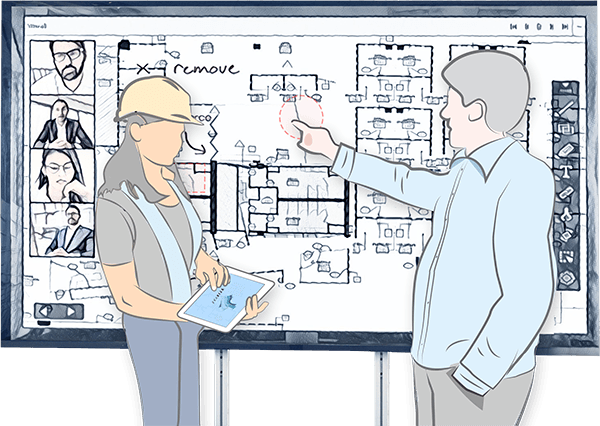
SmartScreen

Pinch, touch and swipe to design your creation, on our large touch screen computer monitor, then share it and work collectively, right from the SmartScreen. This giant, interactive, touch-computer and larger-than-life display make it easy to build, share and collaborate, even if you’re not in the same location. You can even screen mirror your device to share information.
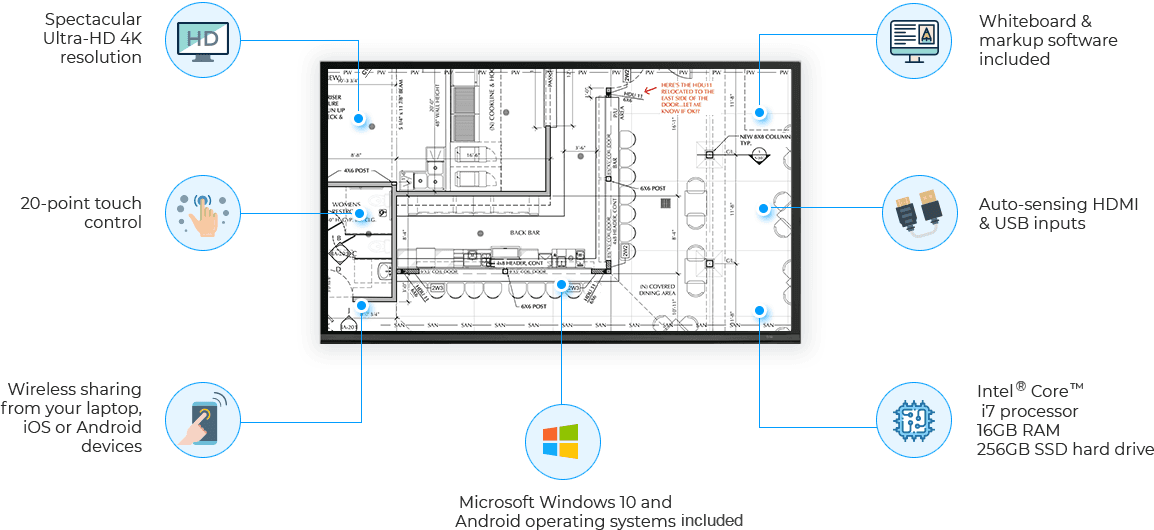
Section Image

Additional Specifications

Independent graphics

Integrated WiFi® and Bluetooth®

Delivery*, setup and training (* most major metro locations)

3 year on-site warranty
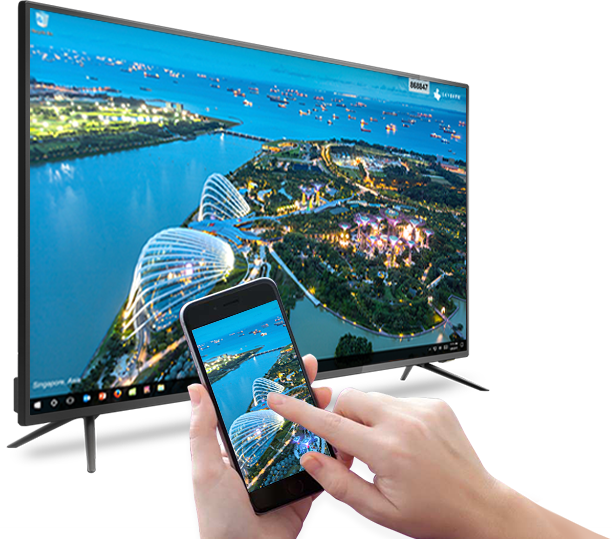
SmartScreen Wireless Mobile Screen Sharing

SmartScreen Wireless Mobile Screen Sharing

SKYSITE’s SmartScreens let you easily screen mirror external devices to our large touch screen monitor in three easy steps. After downloading the screen sharing app, you can share from your PC, Mac, iOS or Android device. All you need to do is open the screen share app, connect your device to the SmartScreen and share! Your project will stand out and be ready for team collaboration.

SmartScreen owners start sharing your screens now. Install the mobile screen sharing app here.

What Our Customers are Saying

The SmartScreen allows our teams to seamlessly track everything, collaborate effectively, and have very productive meetings. It is a truly indispensable tool for our project managers.

Christine Larue, IT Technician - Document Management

I just used the MOVE feature on SKYSITE, and I love it. It’s great to just move a file into a new folder so easily now. Thanks for adding this feature!

Luisa Aceves, Shea Properties

SKYSITE works better than Dropbox™. Dropbox™ was confusing and kind of difficult to use. And the syncing didn’t always work. SKYSITE’s syncing is excellent. It just works really well.

Sheldon Oxner, President, NCB

SKYSITE is so easy to learn. A few of the architects mentioned that it matched the way they managed projects, so it was far less disruptive than expected. As an IT Manager, I found that administration is super easy. And strong encryption eased any security concerns I had. SKYSITE is a fantastic, cost-effective, soup-to-nuts solutions for our firm.

Josh R, IT Manager, FFA

SKYSITE makes your life 100 times easier. SKYSITE is very user-friendly. The cloud gets the information out there faster. And all the subcontractors have free viewing capability.

James, Farrar & Associates

It’s nice how it’s app-based and cloud-based, so it won’t bog down, either. Using SKYSITE saves so much time and money. SKYSITE makes our subcontractors even faster by being able to send updates and answers to their bidding questions immediately. It’s the best product I have ever seen for our collaboration and coordination requirements. Using SKYSITE is like having another project manager on the team.

Dorthy D, Purchasing Manager, Nicholson

With SKYSITE, you have an advanced search engine and the OCR environment in the cloud. This worked out well for us. We can target right down to an exact page of the information we’re looking for in the shortest time possible. Since then, I’ve had employees tell me that this new technology saved them lots of time. SKYSITE was the more user-friendly, quick, logical and reliable tool we ultimately selected to use in Palo Alto. We haven’t purchased paper in close to six months now.

John M, Chief Procurement Officer, Palo Alto

Find out if SKYSITE SmartScreen is right for you

Get it on Google play

App for Projects

App for Archives

Available on the App store

App for Projects

App for Archives